Exhibitor FAQ

Stand Queries & Bookings

Click here to apply for stand space.

Our Sales Team will be happy to share the floorplan with you - click here to get in touch.

Stand applications close on 26 February 2027. 

We can accommodate a range of stand styles including:

WALL (open 1 side)

CORNER (open 2 sides)

FRONT (open 3 sides)

ISLAND (space only)

The standard media package ($275) is compulsory for all exhibitors and includes access to the exhibitor manual, marketing & digital assets, general event publicity, access to a online booth and unlimited lead scanning licences. 

There are package upgrades available, contact a member of our sales team if you wish to discuss these in more detail. 

Yes, all exhibitors require insurance cover. Insurance cover, to comply with Contract Terms and Conditions, has been arranged on your behalf, as a 'Participating Exhibitor', under the Insurance Policy issued to FESPA Limited. By providing satisfactory evidence of suitable Public Liability insurance cover, your company will be entitled to a credit in respect of the insurance participation fee included in the deposit invoice.


The cost of Exhibitor Insurance is 125 USD. Further details are in the contract Terms and Conditions.
Registration (Aditus)

1. Log into the Exhibitor Portal - 

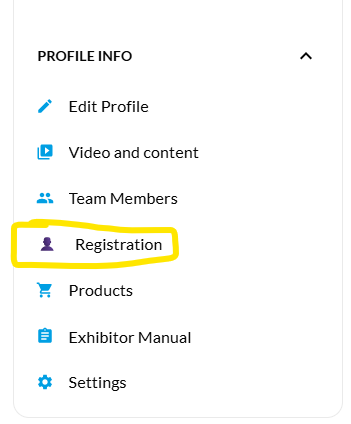
2. Select 'Registration' located in the drop-down menu

registration

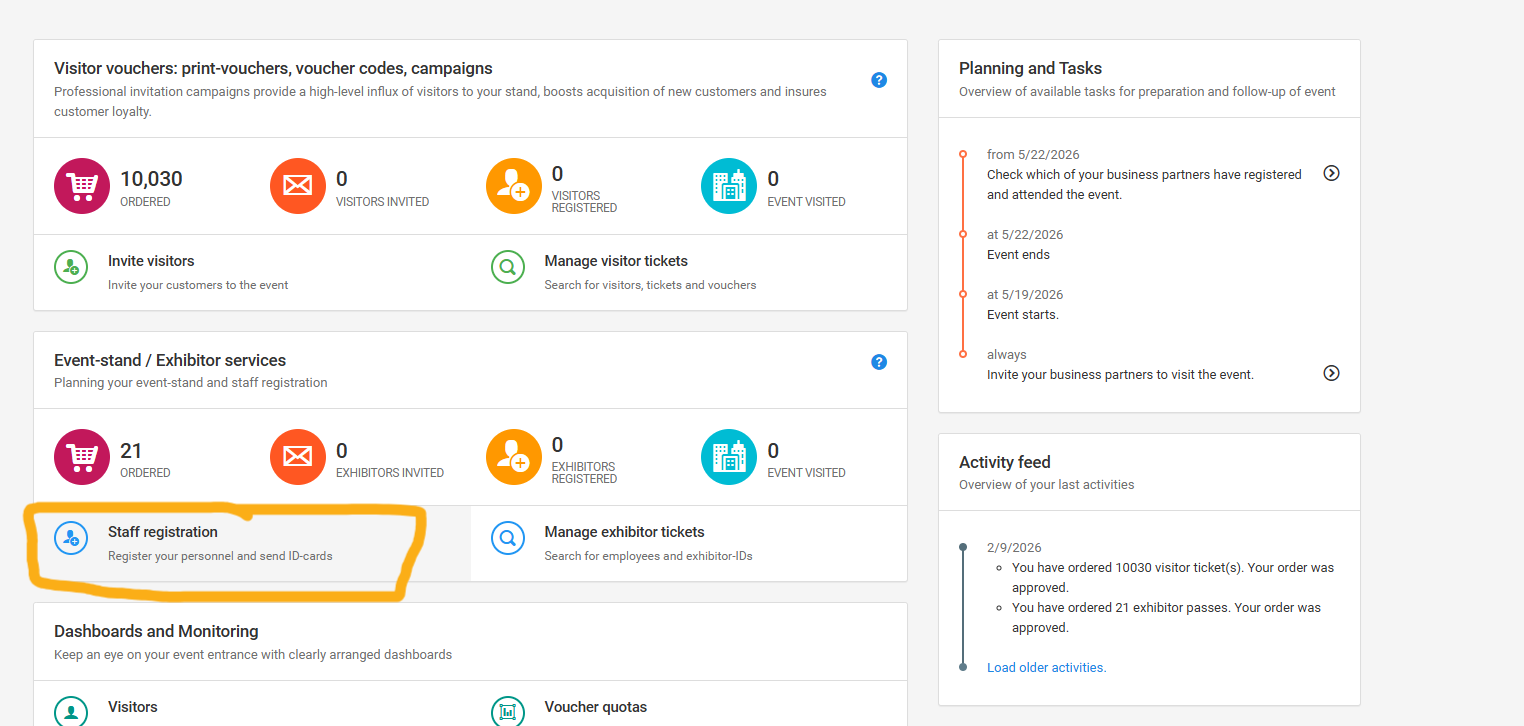
3. Select 'Staff registration'

team reg

4. Follow the on-screen instructions to add your staff details and send their activation emails

More help with this can be found here

1. Log into the Exhibitor Portal - 

2. Select 'Registration' located in the drop-down menu


3. Use your promo code (located in the top corner) OR share your personal link 

You can find out more in our How-to guide

To invite customers using the email templates

1. Select 'Invite visitors'

2. Go to 'Next step'

3. Select your email template (you can add your logo by clicking the pen icon)

4. Go to 'Next step' 

5. Add the details of the recipient (or bulk upload using the import tab)

6. Go to 'Next step'

7. Review and click 'Begin the campaign' button

1. Log into the Exhibitor Portal - 

2. Select 'Registration' located in the drop-down menu

3. Select 'Invite visitors' and then VIP

4. Go to 'Next step'

5. Select your email template (you can add your logo by clicking the pen icon)

6. Go to 'Next step' 

7. Add the details of the recipient (or bulk upload using the import tab)

8. Go to 'Next step'

9. Review and click 'Begin the campaign' button

Your promo code is a series of 4 letters located within Registration in the top left corner. 

Yes, one registration allows you entry for each day of the show (27-29 April). 

You will need to print your badge from Reception the first day you arrive, but this can be used for subsequent days entry. 

ExpoPlatform APP and Online Booth

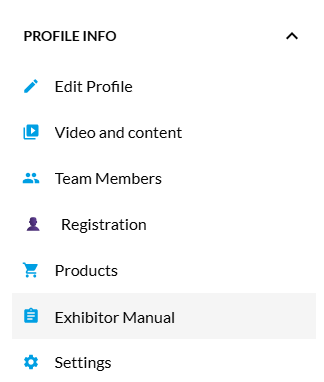
The manual is located within the exhibitor platform. Once logged in you will find the Exhibitor Manual in the drop-down menu on the left-hand side of the page. No additional log in is needed for this. 

exhibitor manual

Drop us a message at   exhibitors@fespa.com. We can temporarily reset these details to allow you to log in. 

Marketing materials are available within the Exhibitor Manual, located under Section 7 - ‘Marketing Assets’ 

You can select any of the shows, download you assets and then customise with logo, promo code and stand number. 

There are no limits to the amount you can download. 


Lead scanning will be available through the FESPA app. The app is available on ios and Google Play store and can be used on any smart device.  

Once onsite, exhibitors will be able to use this app to scan visitor badges with the data collected within their profile on the Exhibitor Platform. These leads can be downloaded at any point during or after the show. 

NB. Only the primary contact for the platform will be able to download all leads gathered by their team. Team members will only be able to see the leads they have scanned personally.  

The FESPA app is available below:

App Store: https://apps.apple.com/us/app/fespa-2026/id6761104155

Google Play: https://play.google.com/store/apps/details?id=com.expoplatform.fespa.app1

Use your exhibitor portal details to log in.

You can find our help guide for using the FESPA app here

You will be able to book meetings with attendees through the Networking function in the exhibitor portal. 

You can find more information here on this function.